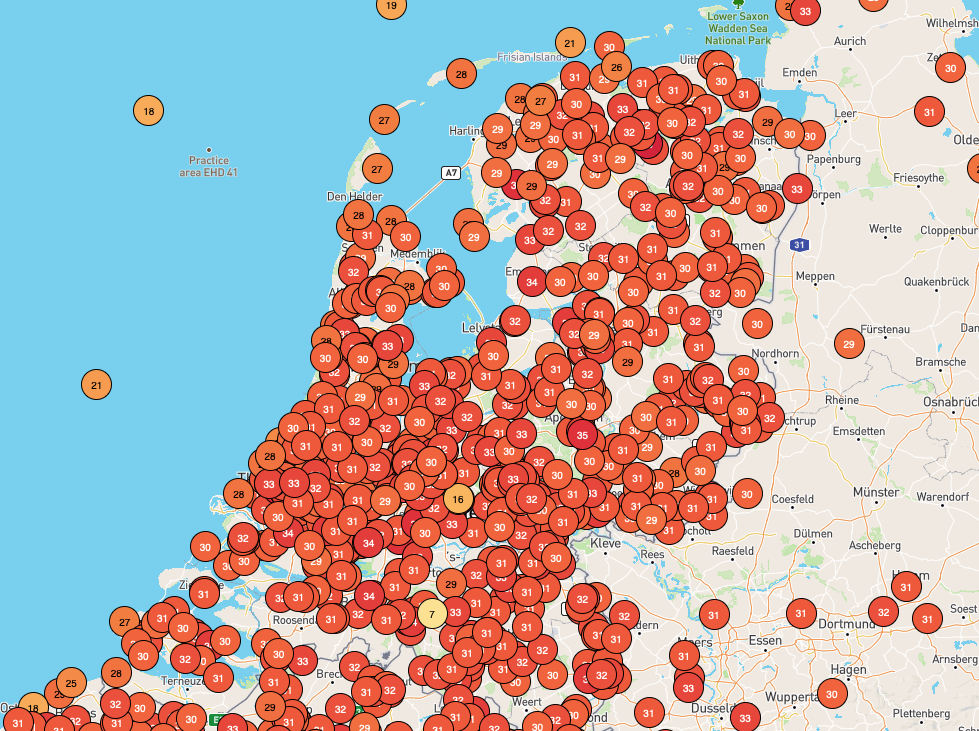
Van een collega kreeg ik deze week een gloednieuw IBM display cadeau, van een type dat bedoeld is om op een kassa te schroeven. Omdat de ervaring leert dat zo een doosje ongemerkt een tijd in de kast kan blijven liggen, en je er dan weinig lol van hebt, besloot ik er deze regenachtige zaterdag direct iets van te maken.
Het werd een extra display voor mijn weerstation voor op mijn werkkamer.
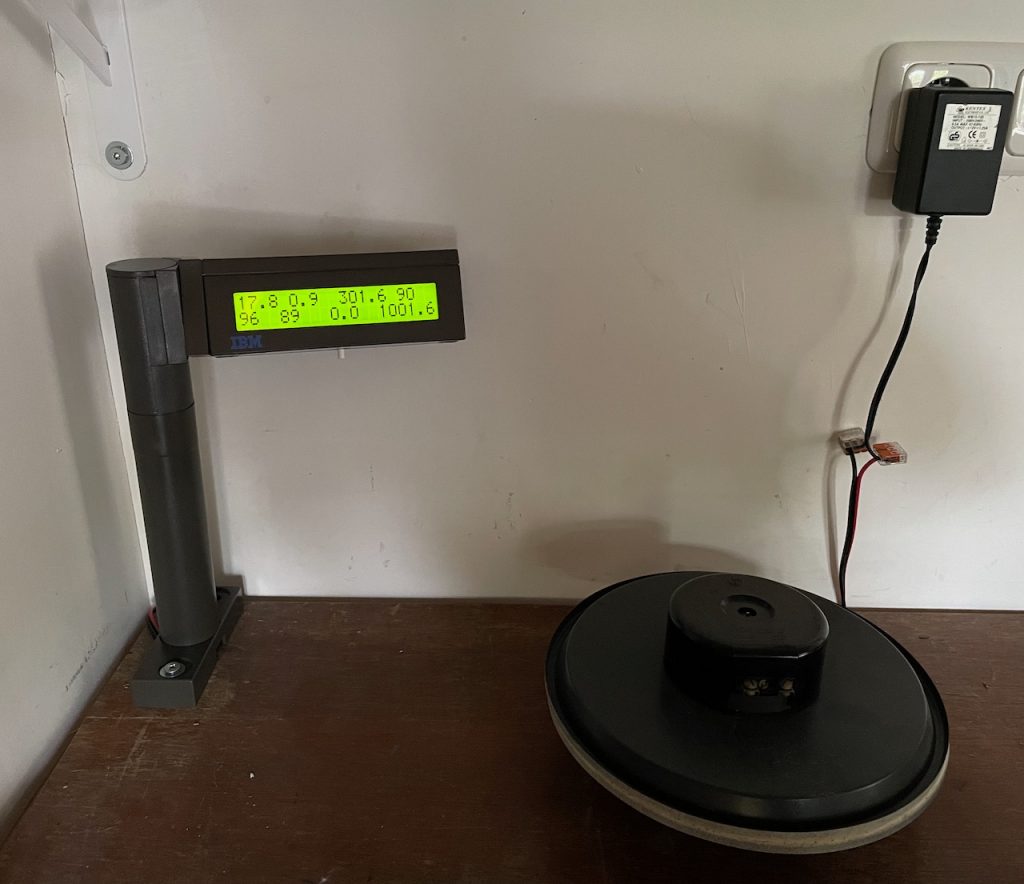
Het display is een HD44780 compatibel met 2×20 karakters in groot formaat, 9 mm karakter hoogte. Het heeft een ietwat onhandige 2 mm pitch header.
De aanwezige IBM elektronica was voor mij niet eenvoudig opnieuw te gebruiken, en had ook geen handige functionaliteit. Deze werd daarom vervangen door een PCF8574 I2C expander printje dat ik jaren geleden maakte voor een Makerspace project, en een Wemos D1, dat is een gebruiksvriendelijke ESP8266 microcontroller module met Wifi.
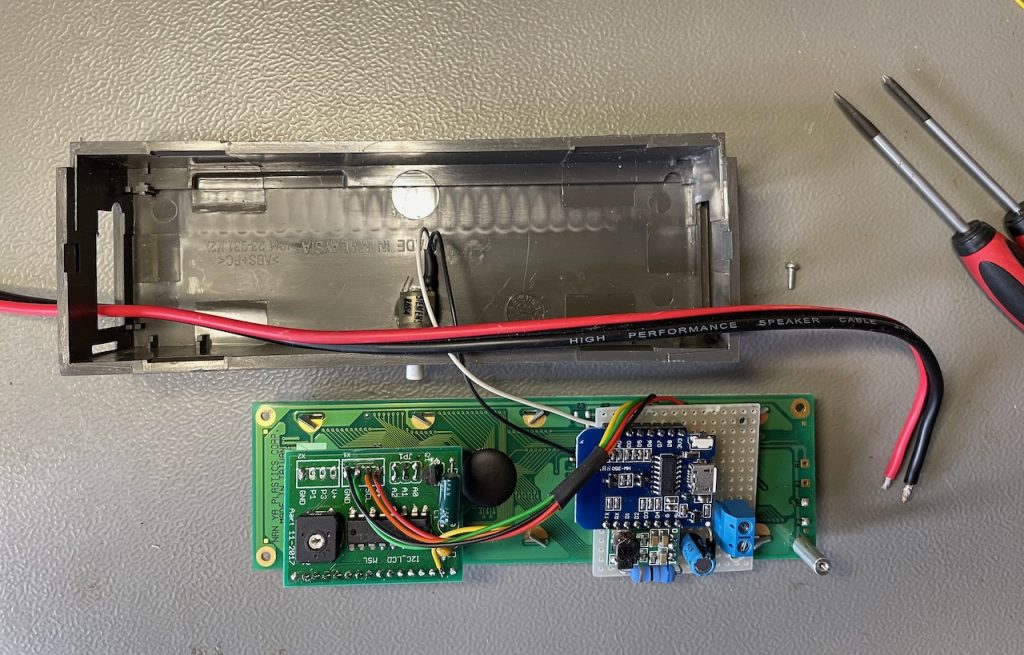
Omdat het led backlight een V of 8 nodig had kwamen daar een kleine 5V step down en een 68 Ω / 1W weerstand bij. Dit opdat het geheel op een enkele netadapter van 12V kan werken. Tot slot voegde ik een drukknop toe om de legenda te tonen en het backlight in- en uit te schakelen.
Het energieverbruik uit het stopcontact is 2,7 W met de backlight aan, 2,0 W met de backlight uit.
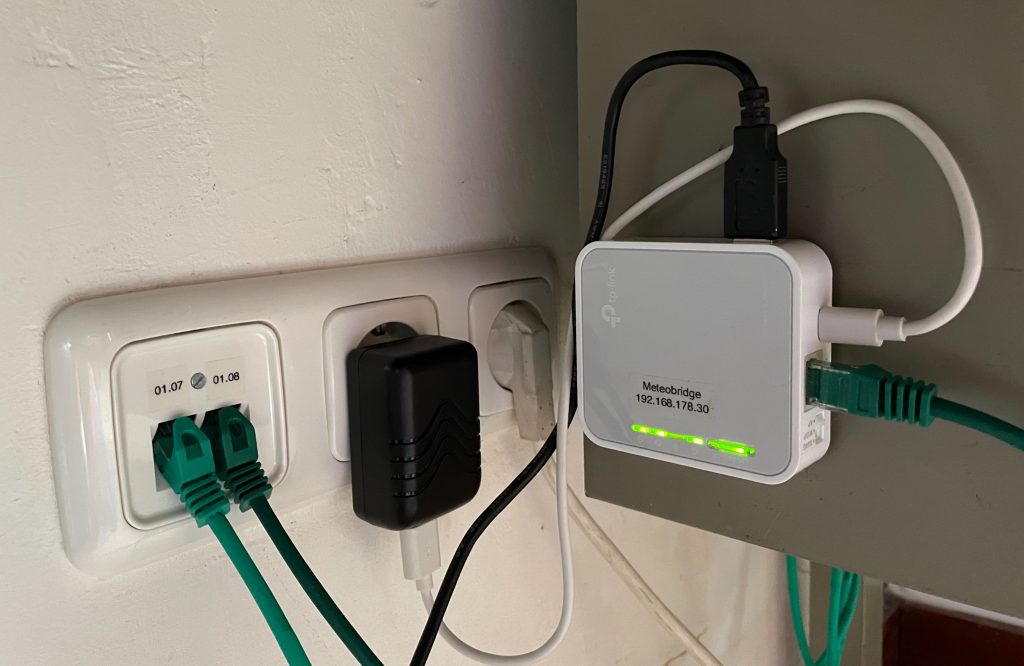
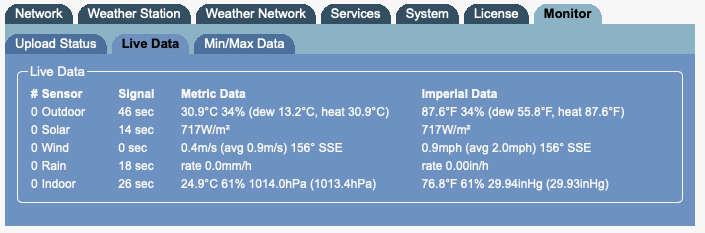
De actuele metingen van het weerstation worden op het locale netwerk beschikbaar gemaakt door de Meteobridge als een tekstfile. Deze text wordt opgehaald door de ESP. Vervolgens wordt een selectie van acht van de beschikbare meetwaarden op het display getoond.
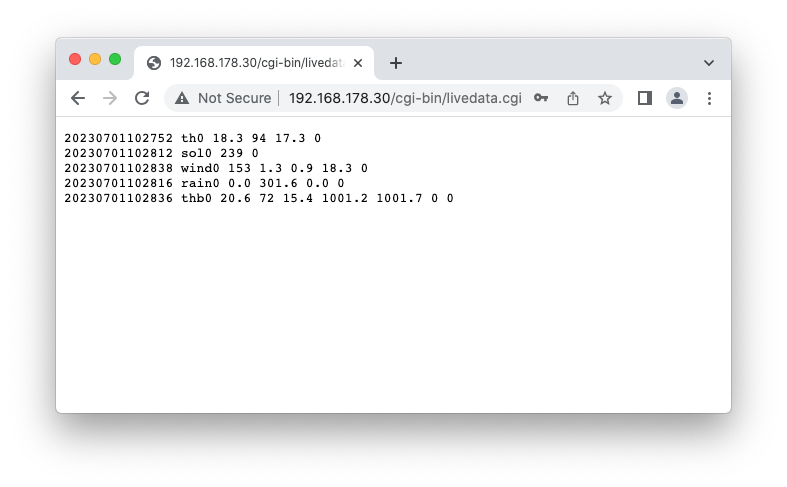
De Arduino code is zo simpel mogelijk. Een captive portal voor de instellingen zou fraai zijn, maar ik zit daar niet goed in en de toegevoegde waarde is beperkt. De USB aansluiting van de ESP is te bereiken zonder alles te demonteren. Het opzoeken van de te tonen waarde in de tekst gebeurd simpelweg door het aantal spaties te tellen.
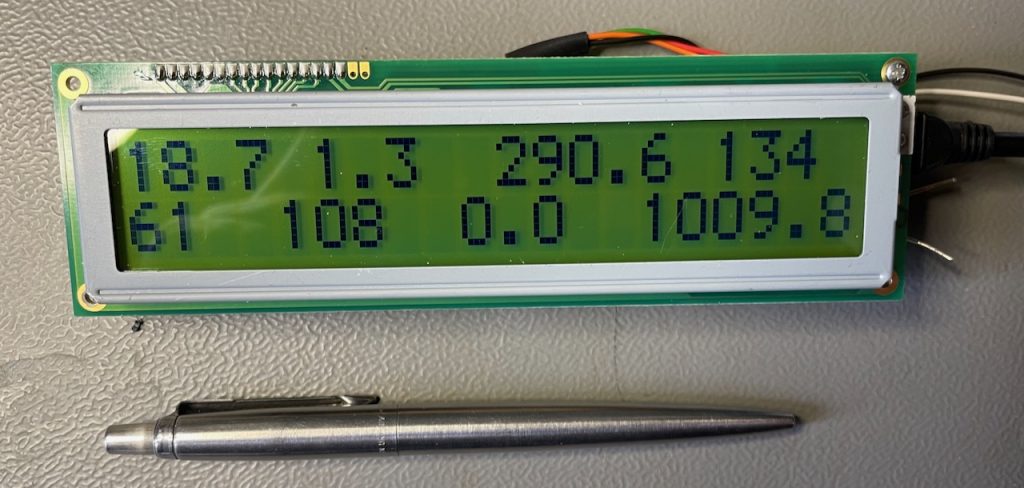
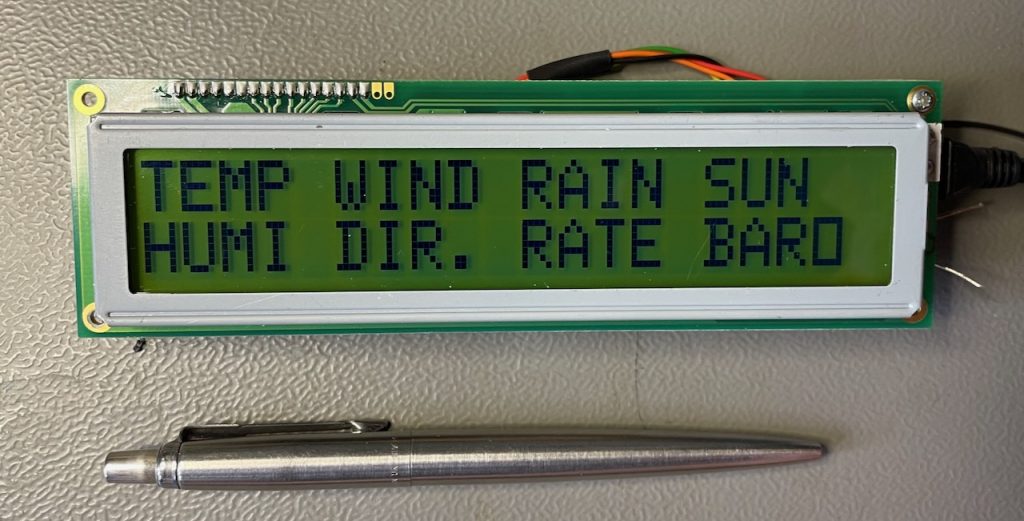
Al die getallen lijken misschien wat onoverzichtelijk, maar met enige gewenning is het display in één oogopslag af te lezen. Nu kan ik ook op mijn werkkamer zien wat voor weer het buiten is zònder de gordijnen open te doen 🙂
Onderstaande de Arduino code van dit project.
Update augustus 2024: Omdat de volgorde van de regels in het bericht blijkt te kunnen veranderen na een herstart van de Meteobridge is een nieuwe DisplayMeteo() functie geschreven die hier niet gevoelig voor is.
|
1 2 3 4 5 6 7 8 9 10 11 12 13 14 15 16 17 18 19 20 21 22 23 24 25 26 27 28 29 30 31 32 33 34 35 36 37 38 39 40 41 42 43 44 45 46 47 48 49 50 51 52 53 54 55 56 57 58 59 60 61 62 63 64 65 66 67 68 69 70 71 72 73 74 75 76 77 78 79 80 81 82 83 84 85 86 87 88 89 90 91 92 93 94 95 96 97 98 99 100 101 102 103 104 105 106 107 108 109 110 111 112 113 114 115 116 117 118 119 120 121 122 123 124 125 126 127 128 129 130 131 132 133 134 135 136 137 138 139 140 141 142 143 144 145 146 147 148 149 150 151 152 153 154 155 156 157 158 159 160 161 162 163 164 165 166 167 168 169 170 171 172 173 174 175 176 177 178 179 180 181 182 183 184 185 186 187 188 189 190 191 192 193 194 195 196 197 198 199 200 201 202 203 204 205 206 207 208 209 210 211 212 213 214 215 216 217 218 219 220 221 222 223 224 225 226 227 228 229 230 231 232 233 234 235 236 237 238 239 240 241 242 243 244 245 246 247 248 249 250 251 252 253 254 255 256 257 258 259 260 261 262 263 264 265 266 267 268 269 270 271 |
/* * Simple Meteobridge network display using a 2x 20 LCD, a PCF8574 I2C I/O expander and a ESP8266. * Aart 06-2023 * * Update 08-2024: New DisplayMeteo() function, not sensitive to the sequence of message lines. */ // #define DEBUGMODE // Run on ESP8266 only, no button. Display not neccesary. #include <ESP8266WiFi.h> #include <ESP8266HTTPClient.h> #include <Wire.h> #include <LiquidCrystal_I2C.h> LiquidCrystal_I2C lcd(0x38,20,2); // The "standard" address for a PCF8574 LCD module seems to be 0x27. // On the ESP8266: D1 = SCL, D2 = SDA. 4k7 pullups are placed. const int ON_Board_LED = 2; const char* ssid = "WifiNetwork"; const char* password = "WifiPassword"; const char* host = "http://meteobridge:MeteobridgePassword@192.168.178.30/"; static uint32_t UPDATE_INTERVAL = 10000; static int BUTTON_PIN = 0; // Pin D3 on a Wemos D1 clone. String GetAddress, LinkGet, getData; int id = 0; HTTPClient http; WiFiClient client; // Separates a string into substrings using a separator character. String getValue(String data, char separator, int index) { int found = 0; int strIndex[] = { 0, -1 }; int maxIndex = data.length()-1; for(int i=0; i<=maxIndex && found<=index; i++){ if(data.charAt(i)==separator || i==maxIndex){ found++; strIndex[0] = strIndex[1]+1; strIndex[1] = (i == maxIndex) ? i+1 : i; } } return found>index ? data.substring(strIndex[0], strIndex[1]) : ""; } void connectWiFi() { Serial.print("Connecting"); while (WiFi.status() != WL_CONNECTED) { Serial.print("."); digitalWrite(ON_Board_LED, LOW); delay(250); digitalWrite(ON_Board_LED, HIGH); delay(250); } digitalWrite(ON_Board_LED, HIGH); Serial.println(""); Serial.print("Successfully connected to : "); Serial.println(ssid); Serial.print("IP address: "); Serial.println(WiFi.localIP()); Serial.println(); } String getMeteoData(void) { if (WiFi.status() != WL_CONNECTED) { connectWiFi(); } Serial.println("----------------Connect to Server-----------------"); Serial.println("Get LED Status from Server or Database"); Serial.print("Request Link : "); Serial.println(LinkGet); HTTPClient http; http.begin(client, LinkGet); http.addHeader("Content-Type", "text/plain"); int httpCodeGet = http.GET(); String payloadGet = http.getString(); Serial.print("Response Code : "); Serial.println(httpCodeGet); Serial.println("Returned data from Server : "); Serial.println(payloadGet); Serial.println("----------------Closing Connection----------------"); http.end(); return (payloadGet); } void setup() { lcd.init(); lcd.backlight(); lcd.setCursor(1,0); lcd.print("MeteobridgeDisplay"); lcd.setCursor(6,1); lcd.print("Aart 2023"); Serial.begin(115200); delay(500); GetAddress = "cgi-bin/livedata.cgi"; LinkGet = host + GetAddress; WiFi.mode(WIFI_STA); WiFi.begin(ssid, password); Serial.println(""); pinMode(ON_Board_LED, OUTPUT); digitalWrite(ON_Board_LED, HIGH); pinMode(BUTTON_PIN, INPUT); } void displayLegend() { lcd.clear(); lcd.setCursor(0,0); lcd.print("TEMP"); lcd.setCursor(0,1); lcd.print("HUMI"); lcd.setCursor(5,0); lcd.print("WIND"); lcd.setCursor(5,1); lcd.print("DIR."); lcd.setCursor(10,0); lcd.print("RAIN"); lcd.setCursor(10,1); lcd.print("RATE"); lcd.setCursor(15,0); lcd.print("SUN"); lcd.setCursor(15,1); lcd.print("BARO"); } void DisplayMeteo(String data) { lcd.clear(); int i = 0, found = 0; while (found < 5) { if (getValue(data,' ', i) == "th0") { Serial.print("- Index i th0: "); Serial.println(i); found++; i++; lcd.setCursor(0,0); lcd.print(getValue(data,' ', i )); // TEMP Serial.print("Temp: "); Serial.println(getValue(data,' ', i )); i++; lcd.setCursor(0,1); lcd.print(getValue(data,' ', i )); // HUMI Serial.print("Humi: "); Serial.println(getValue(data,' ', i )); } if (getValue(data,' ', i) == "wind0") { Serial.print("- Index i wind0: "); Serial.println(i); found++; i++; lcd.setCursor(4,1); lcd.print(getValue(data,' ', i )); // DIR Serial.print("Dir: "); Serial.println(getValue(data,' ', i )); i++; lcd.setCursor(5,0); lcd.print(getValue(data,' ', i )); // WIND Serial.print("Wind: "); Serial.println(getValue(data,' ', i )); } if (getValue(data,' ', i) == "rain0") { Serial.print("- Index i rain0: "); Serial.println(i); found++; i++; lcd.setCursor(9,1); lcd.print(getValue(data,' ', i )); // RATE Serial.print("Rate: "); Serial.println(getValue(data,' ', i )); i++; lcd.setCursor(10,0); lcd.print(getValue(data,' ', i )); // RAIN Serial.print("Rain: "); Serial.println(getValue(data,' ', i )); } if (getValue(data,' ', i) == "sol0") { Serial.print("- Index i sol0: "); Serial.println(i); found++; i++; lcd.setCursor(16,0); lcd.print(getValue(data,' ', i )); // SOLAR Serial.print("Solar: "); Serial.println(getValue(data,' ', i )); } if (getValue(data,' ', i) == "thb0") { Serial.print("- Index i thb0: "); Serial.println(i); found++; i += 5; lcd.setCursor(14,1); lcd.print(getValue(data,' ', i )); // BARO Serial.print("Baro: "); Serial.println(getValue(data,' ', i )); } i++; } /* Message format, 08-2024. 20240829070537 th0 21.3 88 19.2 0 20240829070621 rain0 0.0 578.8 0.0 0 20240829070537 thb0 21.9 72 16.6 1012.9 1013.4 2 0 20240829070617 sol0 151 0 20240829070623 wind0 222 0.9 0.4 21.3 0 */ } void loop() { static String meteoData; static int state = 0, lastState = 0, lamp = 1; static uint32_t lastbutton, lastUpdate; enum state {START, WAIT, DB_DOWN, DOWN, DB_UP, UP}; // Button state machine. DB = DeBounce. #ifdef DEBUGMODE uint8_t button = 1; #else uint8_t button = digitalRead(BUTTON_PIN); #endif // debug if (lastState != state) { lastState = state; Serial.print("New button state: "); Serial.println(state); } switch (state) { case START: meteoData = getMeteoData(); DisplayMeteo(meteoData); state = WAIT; break; case WAIT: if (button == LOW) { lastbutton = millis(); state = DB_DOWN; } if (millis() - lastUpdate > UPDATE_INTERVAL ) { meteoData = getMeteoData(); lastUpdate = millis(); DisplayMeteo(meteoData); } break; case DB_DOWN: if (millis() - lastbutton > 100) { state = DOWN; displayLegend(); lamp = !lamp; if (lamp) lcd.backlight(); else lcd.noBacklight(); } else if (button == HIGH) state = WAIT; break; case DOWN: if (button == HIGH) { lastbutton = millis(); state = DB_UP; } break; case DB_UP: if (millis() - lastbutton > 100) state = UP; else if (button == LOW) state = DOWN; break; case UP: DisplayMeteo(meteoData); state = WAIT; break; } } |